The best Sage 50 alternative depends on why you’re leaving it. If you run more than one company, iplicit consolidates every entity in one system. If you’re one company that wants to work from anywhere, Xero runs fully in the cloud. To stay with Sage, Sage 200 adds stock and supply chain, while Sage Intacct adds cloud multi-entity accounting.
Quick comparison
| Tool | Best for | Starting price | Capterra UK rating |
|---|---|---|---|
| iplicit | UK groups running 2 or more entities that want consolidation in one system | No public pricing | 4.6/5 |
| Sage 200 | Stock-heavy organisations that want to stay with Sage | No public pricing, sold through Sage business partners | 4.3/5 |
| Sage Intacct | Larger groups happy to stay in the Sage family | From £1,200 a month excl. VAT | 4.3/5 |
What finance teams need from a Sage 50 alternative
Sage 50 runs on a PC or office server, with each company in its own data file. For one company with steady volumes, that works well.
It gets harder as the business grows around it. You add a second entity, and the first week of every month goes to rebuilding group reports in Excel. Your team works away from the office and relies on Remote Data Access. Or your volumes pass Sage’s recommended limits, and its advice is to delete old data.
Each of those problems calls for something different, so the right Sage 50 alternative depends on which one you’re facing. In this piece we compare seven options on group accounting, reporting depth, remote access, controls and pricing transparency.
Why listen to us?
The finance teams that move from Sage 50 to iplicit tend to hit the same walls. A-One Insurance Group was producing group accounts for nine companies, each in its own Sage 50 file. Contract Energy Management had about 10,000 projects in Sage 50 when tracking profit job by job brought the system to a standstill.
“The real-time reporting has been business-changing. We’ve been able to consolidate all the businesses at once so we can grab very realistic and up-to-date snapshots at a moment’s notice.”
Sarah Smith, Group Operations Director, A-One Insurance Group
In the full A-One Insurance Group case study, real-time consolidated reporting replaced “driving the business blind”, giving instant profit and loss visibility across all legal entities in one view.
Those conversations shaped what this guide checks. That means how each system copes with more than one company, how far your reporting can go, and how much of the business it can run.
What is Sage 50?
Sage 50 Accounts is Sage’s accounting software for small UK businesses, installed on a local PC or server. Sage 50 Accounts Standard starts from £129 a month plus VAT, and Professional from £262 a month plus VAT. Of the two editions, only Professional can consolidate several companies into one set of accounts. Teams working away from the office connect through Remote Data Access, and Sage is testing a cloud-hosted version, Sage 50 Cloud, with early adopters.
Why seek alternatives to Sage 50?
1. Each company lives in its own data file
Sage 50 keeps every company in a separate data file. To bring them together, its consolidation option posts one journal into a parent company, with a total for each nominal code. You'll need a spare company licence for that parent, so consolidating three companies means paying for four. Your companies also have to share a base currency and financial year start.
2. Performance drops as transaction volumes grow
If Sage 50 is running slowly, Sage lists data volume and corruption among the main causes. Sage also bases those limits on a small setup, such as two users on a network. Once you go over them, Sage's advice is to delete old invoices and remove old transactions with Clear Audit Trail. That's a reasonable fix for a small business. But for a growing one, it means deleting history you may still need for audits or year-on-year reporting.
3. Remote access depends on Remote Data Access
Remote Data Access is how your team works on Sage 50 away from the office, but it has its own rules. Very large data files can run into problems on it. You also can't consolidate companies while they're on Remote Data Access.
4. The next step up within Sage is a big jump
When you outgrow Sage 50, the route Sage itself recommends is Sage Intacct. But Intacct starts from £1,200 a month before support and implementation, compared with £262 a month for Sage 50 Professional. That's a big gap, and it's where the mid-market options below come in.
7 best Sage 50 alternatives
| Tool | How it handles multiple entities | Best for | Starting price | Capterra UK rating |
|---|---|---|---|---|
| iplicit | All entities in one system, with intercompany handled in the system and drill-down to the source transaction | UK groups running 2 or more entities that want consolidation in one system | No public pricing | 4.6/5 (53 reviews) |
| Sage 200 | Professional posts subsidiary balances to a parent company as a journal | Stock-heavy organisations that want to stay with Sage | No public pricing, sold through Sage business partners | 4.3/5 (48 reviews) |
| Sage Intacct | Consolidates multiple entities and automates eliminations | Larger groups happy to stay in the Sage family | From £1,200 a month excl. VAT | 4.3/5 (718 reviews) |
| AccountsIQ | Consolidation across currencies, run when you choose | Groups that want consolidation and a published starting price | From €275 a month (Core plan) | 4.6/5 (44 reviews) |
| Xero | One organisation per plan, with group reports through App Store apps | A single company that mainly wants cloud access | £18 a month excl. VAT (Ignite) | 4.4/5 (3,332 reviews) |
| Microsoft Dynamics 365 Business Central | Consolidation process into a separate consolidated company | Businesses that want finance and operations in one Microsoft system | £61.50 per user a month, paid yearly (Essentials) | 4.1/5 (209 reviews) |
| Oracle NetSuite | OneWorld posts at local and head office level | Groups trading across several countries | No public pricing, annual licence plus implementation fee | 4.2/5 (2,082 reviews) |
1. iplicit
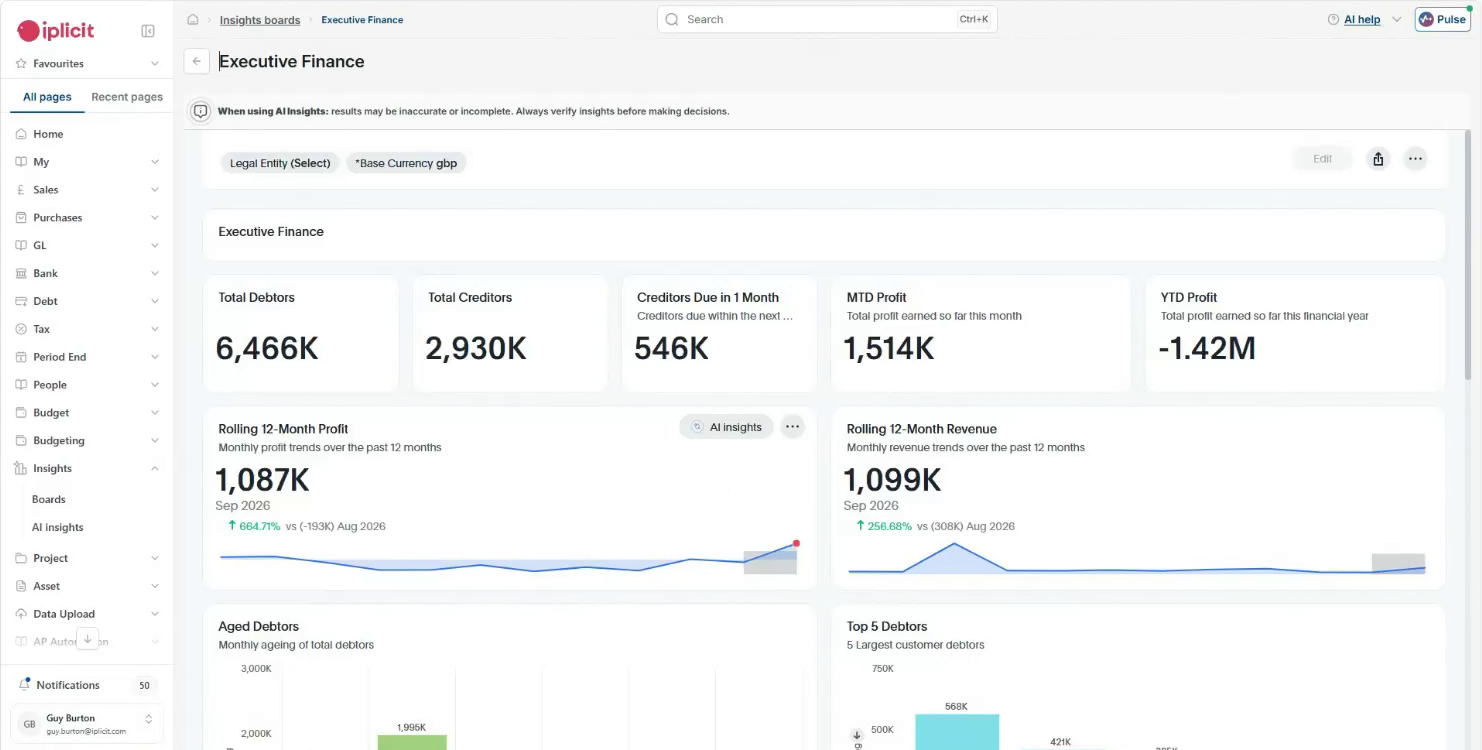
If you’re running a second or third company on Sage 50, that's the problem iplicit is built for. One login gives you approvals, consolidation across all your entities and as many reporting dimensions as you need.
All entities stay on one platform, so you only log in once. From there, you can see each company on its own or the whole group together. So you don't need a spare company licence or a month-end journal. Live exchange rates feed in automatically, and consolidated reports translate using closing, average or historic rates by account type, set up to match your group policy. iplicit consolidates across entities and currencies in one system, with intercompany handled in the system and drill-down to the source transaction. That drill-down is how Contract Energy Management now checks the margin on each job, after job-level tracking brought Sage 50 to a standstill.
Intercompany work gets quicker too. Record a sale between two of your companies just once and the other side gets added automatically, with eliminations handled for you. Your subsidiaries can also trade in different currencies.
Key features
- Group consolidation: Consolidate across entities and currencies in one system, with intercompany handled in the system and drill-down to the source transaction.
- Intercompany automation: Record an intercompany transaction once and iplicit creates the matching entry in the other entity, with eliminations handled for you.
- Flexible reporting dimensions: Analyse your P&L, balance sheet and trial balance by any combination of department, project, fund or location.
- Multi-jurisdiction setup: Each entity can have its own currency, tax settings and financial year.
- Approval workflows: Route purchases and expenses through multi-level approvals, with every action logged.
- AP automation: Capture supplier invoices automatically with AI invoice processing, then match them to purchase orders and goods received notes before approval.
- Live Excel add-in: Pull live iplicit data into Excel with formulas that refresh on demand.
Pricing
iplicit offers transparent subscription pricing that scales with your users and entities, with fund accounting, multi-entity and multi-currency capability included rather than sold as extra modules.
Rating
Capterra UK rating: 4.6/5 (53 reviews)
Pros
- Group reports run from the same system as your entity ledgers, with drill-down to the source transaction.
- You get reporting dimensions you define, such as department, project, fund or location. You can add a new fund or project without redesigning your nominal codes.
- Implementation is run by a UK-based team or an accredited iplicit partner, with UK-based support after go-live.
Cons
- Stock and inventory run through iplicit’s Cin7 integration, and there’s no manufacturing functionality to match Sage 200 or Business Central Premium.
- It’s built for groups, so a single company with simple books gains little from moving.
2. Sage 200
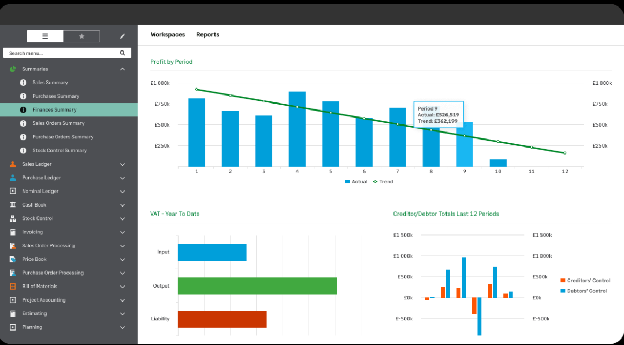
Sage 200 is Sage's business management software for growing small and medium businesses. It's the option that keeps you with Sage, and it brings your financials, supply chain and inventory together. Standard is cloud-based, and Professional adds flexible deployment, more customisation and a marketplace of add-ons.
Sage 200 Professional can consolidate nominal ledgers from any number of subsidiaries. It posts each subsidiary's balances into a parent company as an imported journal. Your subsidiaries can use different base currencies too, which is a step beyond Sage 50.
Key features
- Stock management: Track inventory and supply chain activity alongside your financials.
- Price and discount rules: Set customer pricing and discounts that apply automatically on sales.
- Nominal consolidation: Combine subsidiary nominal ledgers into a parent company in Sage 200 Professional.
- Accountant role: Give your external accountant access through cloud-enabled collaboration.
Pricing
There's no public pricing for Sage 200. You buy it through a Sage business partner, who quotes for your setup and handles implementation and support.
Rating
Capterra UK rating: 4.3/5 (48 reviews)
Pros
- Standard runs in the cloud, so you're no longer tied to an office server.
- Stock management comes as standard, which suits product-led organisations.
- Partners can customise Professional to match specific processes.
Cons
- Consolidation posts a journal into a parent company with group figures only as current as the last run.
- Your experience depends partly on the partner you choose for implementation and support.
3. Sage Intacct
If you'd like to leave Sage 50 without leaving Sage, Intacct is the route Sage itself recommends. It's finance software for growing and mid-sized businesses, and it runs fully in the cloud. It can consolidate from two to hundreds of entities and automate eliminations, adjustments and reporting.
Pricing is built from modules, users and entities. Bear in mind that implementation, data migration and training are quoted separately from the licence.
Key features
- Multi-entity consolidation: Consolidate entities and automate eliminations, adjustments and group reporting.
- Dimensions: Tag transactions by dimension to report across entities.
- Sage Copilot: Use Sage's AI assistant, included in Sage Intacct.
- Modular licensing: Add modules, users or entities to your licence as you grow.
Pricing
Sage Intacct starts from £1,200 a month excl. VAT. Sage notes that this estimate doesn't include support fees or implementation, and your quote depends on your modules, users and entities.
Rating
Capterra UK rating: 4.3/5 (718 reviews)
Pros
- Sage publishes a starting price, so you can budget before your first call.
- The Essentials plan already covers up to four entities.
- Staying with Sage means one supplier relationship for your finance software.
Cons
- Support and implementation are charged on top of the subscription.
- Its modular pricing means the final cost depends on which modules you add.
4. AccountsIQ
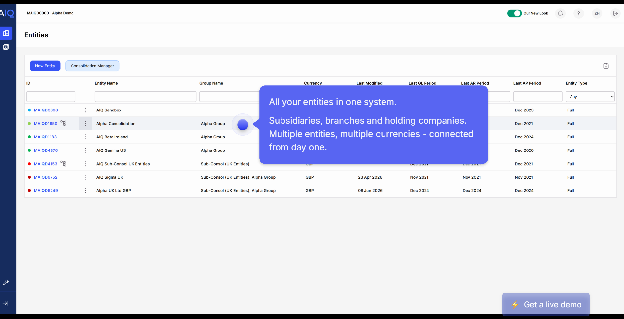
AccountsIQ is cloud accounting software built around multi-entity consolidation. It consolidates entities in different currencies, with automatic FX translation, and its support team is based in the UK and Ireland.
Each plan caps how many dimensions you can report on. Core allows two, Growth raises that to four, and Scale tops out at six. Core covers a single entity, so a group starts on a higher plan.
Key features
- Group consolidation: Consolidate entities in different currencies with a single consolidation run.
- Intercompany control: Hold intercompany purchase invoices until the receiving company accepts them.
- Bank feeds: Download bank transactions up to four times a day for automatic reconciliation.
- Group visibility: Track actuals, budgets and variances at group level in real time.
Pricing
AccountsIQ plans start from €275 a month for Core, then scale up through Growth and Scale. Pricing can be shown in pounds or euros on its site.
Rating
Capterra UK rating: 4.6/5 (44 reviews)
Pros
- Publishes a starting price, which makes early budgeting easier.
- Consolidation and intercompany controls are core to the product.
- Support is based in the UK and Ireland.
Cons
- Complex reporting needs the top tier because dimensions are capped by plan.
- Core covers one entity, so a group needs a higher plan.
5. Xero
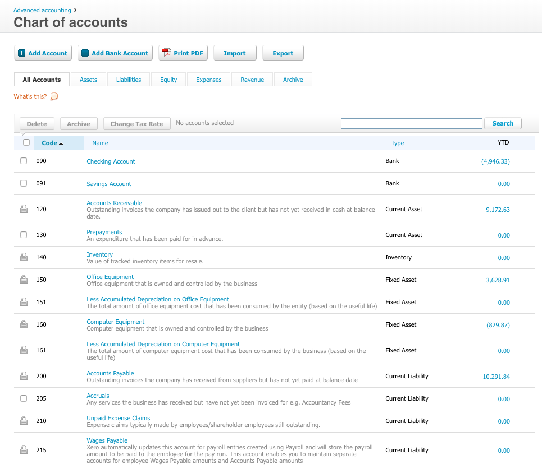
If your main problem with Sage 50 is being tied to an office PC, Xero is the simplest move. Xero's plans are pitched at small businesses. Everything runs in a browser or the mobile app, and you can connect more than 1,000 apps. So if you run one company with straightforward books, Xero may be all you need.
But it's a different story once you add more companies. Each company is its own Xero organisation on its own plan. And Xero's tracking categories only let you have two active at a time. For group reports, you'll need a reporting app from the Xero App Store that pulls data from several organisations together.
Key features
- Tracking categories: Track performance by up to two active categories, such as location or department.
- Bill approvals: Set roles that control who can create and approve bills.
- Multi-currency: Invoice and get paid in more than 160 currencies on Comprehensive and Ultimate plans.
- App Store: Connect more than 1,000 apps for payroll, AP, reporting and more.
Pricing
Xero’s four UK plans run from £18 a month for Ignite to £70 a month for Ultimate, excluding VAT, with Grow at £39 and Comprehensive at £55. There are no per-user licence fees, but multi-currency is only available on Comprehensive and Ultimate.
Rating
Capterra UK rating: 4.4/5 (3,332 reviews)
Pros
- Fully cloud-based; you don’t need a server or Remote Data Access.
- Published monthly prices start well below Sage 50 Standard's.
- The App Store covers gaps such as AP automation and group reporting.
Cons
- Only two tracking categories can be active, which limits departmental or project reporting.
- Consolidation needs a separate reporting app.
6. Microsoft Dynamics 365 Business Central
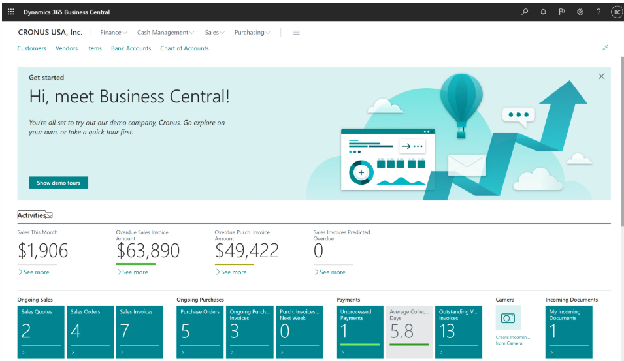
Business Central is Microsoft's ERP for small and midsize businesses, sold and supported through Microsoft partners. It suits you if you've outgrown Sage 50 on the operations side as well as finance.
Business Central covers sales, purchasing and inventory, and the Premium plan adds manufacturing and service management. It can consolidate companies with different charts of accounts, currencies and financial years. But Microsoft says the eliminations are a manual process.
Key features
- Multi-company consolidation: Transfer ledger entries from several companies into a consolidated company.
- Approval workflows: Start ready-made approvals for purchase documents, sales documents and payment journals.
- Edit in Excel: Change records in Excel and publish them back to Business Central.
- Making Tax Digital: Submit VAT returns to HMRC from the UK version.
Pricing
Business Central is priced per user each month, paid yearly and excluding VAT. Essentials costs £61.50, Premium £84.60 and Team Members £6.20. Your partner quotes the final price, including implementation.
Rating
Capterra UK rating: 4.1/5 (209 reviews)
Pros
- Covers finance and operations, including inventory and, on Premium, manufacturing.
- Fits naturally with Microsoft 365 tools your team already uses.
- Published per-user prices make licence costs easy to estimate.
Cons
- Intercompany eliminations after consolidation are manual.
- Every implementation goes through a partner, which adds a service cost.
7. Oracle NetSuite
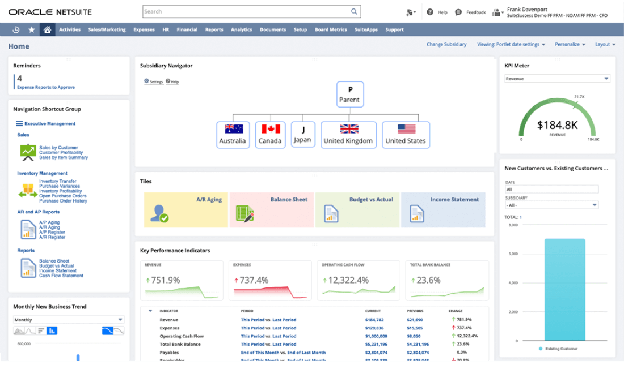
NetSuite is a cloud ERP that covers finance and operations in one system. Of the seven, it's the one most geared to groups trading across several countries. Its OneWorld module manages multiple subsidiaries from one account, and it supports 27 languages and 190 currencies.
OneWorld posts each transaction at both local and head office level, which makes your consolidated statements simpler to produce. Tag an order as intercompany, and NetSuite can book the matching elimination for you once it's invoiced.
Key features
- OneWorld: Manage multiple subsidiaries, currencies and tax rules from a single account.
- Automated eliminations: Post intercompany elimination entries automatically when orders are invoiced.
- Consolidated reporting: Roll subsidiary figures up into the parent's currency.
- Making Tax Digital: Submit UK VAT returns to HMRC through NetSuite's localisation apps.
Pricing
There's no public pricing for NetSuite. You pay an annual licence for the core platform, optional modules and users, plus a one-time implementation fee.
Rating
Capterra UK rating: 4.2/5 (2,082 reviews)
Pros
- Handles international structures with many subsidiaries and currencies.
- Intercompany eliminations can post automatically.
- Finance and operations share one cloud system.
Cons
- There's no public pricing, and consolidation depends on buying OneWorld.
- Implementation is a separate one-time fee on top of the licence.
How we evaluated these Sage 50 alternatives
We looked at each option through the eyes of a UK finance team leaving Sage 50, and weighed five factors:
- Multiple entities: Whether consolidation happens in one system or relies on exports and spreadsheets.
- Reporting depth: How many dimensions you can report on, and whether you can drill from group figures to transactions.
- Access: Whether your team works in a browser or needs a server, hosting or Remote Data Access.
- Controls: Approval workflows, audit trails and user permissions.
- Price clarity: What each vendor publishes, and what's quoted separately, such as implementation.
We also checked Capterra UK ratings to see what customers say.
How to choose
Start with your own structure, because it narrows the list quickly. Answer three questions before you book any demos:
- How many companies do you run, and will that grow? One company rarely needs consolidation. With two or more, how a system consolidates is the first thing to test.
- How many ways do you report? Count how you slice your figures, whether by department, project, fund or location. That tells you whether a cap, like Xero’s two tracking categories or AccountsIQ’s plan limits, will hold you back.
- How much of the business is operations? If stock control or manufacturing drives your margins, operational depth matters more than finance depth.
Each answer comes with a trade-off. A periodic consolidation journal works if you only report monthly, but consolidation in one system matters if you want group figures without rebuilding them in spreadsheets each month. Modular and per-user licences let you start small, but the cost grows with each module, user or entity you add.
Then bring your structure to every demo, and ask the vendor to show you three things live:
- A new company added, and the first group report it appears in
- An intercompany sale posted, and both sides of it
- A group figure drilled down to a single transaction
To keep every vendor answering the same questions, you can use our finance software evaluation checklist.
Which Sage 50 alternative fits your team?
It comes down to where Sage 50 is holding you back. If you run one company and mainly want to work from anywhere, Xero is the straightforward move. And if Sage 50 still copes with your volumes, staying put can be the right call.
If stock control or manufacturing drives your business, Sage 200 keeps you with Sage, while Business Central suits teams already working in Microsoft tools. And if you trade through many subsidiaries across several countries, NetSuite’s OneWorld is built for that scale.
For a group of two or more entities where month-end goes on consolidation, iplicit, AccountsIQ and Sage Intacct are the closest fit. AccountsIQ suits groups whose reporting fits within six dimensions, and Intacct suits groups that want to stay with Sage and can budget from £1,200 a month. If you want consolidation in one system, with intercompany handled in the system and reporting dimensions you define, that’s what iplicit is built for.
Book a demo to see iplicit run on your own group structure, or take the three-minute Quick Tour first. You can also see how other teams have moved from Sage 50 to iplicit.
Is Sage 50 being discontinued?
Is Sage 50 being discontinued?
No. Sage is still developing and releasing new versions of Sage 50 Accounts. You still install it on a PC or server, though. So it's worth asking whether one company file per entity still fits the way your business runs.
Is Xero better than Sage 50?
Is Xero better than Sage 50?
If you're one company that wants to work from anywhere, Xero is the better fit. It runs fully in the cloud and starts at £18 a month excl. VAT. Sage 50 Professional has the edge if you need to combine several companies' figures. That's because Xero needs a separate reporting app to do it. For a growing group, neither one consolidates across entities in one system.
Is there a cloud version of Sage 50?
Is there a cloud version of Sage 50?
Yes, but you can't buy it yet. Sage 50 Cloud runs Sage 50 Accounts in the cloud. As of October 2026, it’s in an early adopter phase, and Sage hasn’t confirmed a launch date. Sage says the Sage 50 Accounts modules work the same in Sage 50 Cloud, so the consolidation and data limits carry over.
How do I know if I've outgrown Sage 50?
How do I know if I've outgrown Sage 50?
Start by checking your record counts. In Sage 50, go to Help, then About, and look at the Data Information figures. Then compare them with Sage's recommended limits, such as 250,000 transactions. Other signs are adding a second entity, rebuilding consolidations in Excel, or running into remote access problems. Our guide on whether you've outgrown your accounting system covers the rest.
What is better than Sage 50?
What is better than Sage 50?
If you're a single company that mainly wants cloud access, Xero is the simplest swap. Once a group needs consolidating, your shortlist is iplicit, AccountsIQ and Sage Intacct. Of those, iplicit consolidates across entities and currencies in one system. And for stock-heavy organisations, Sage 200 or Business Central is the stronger match.