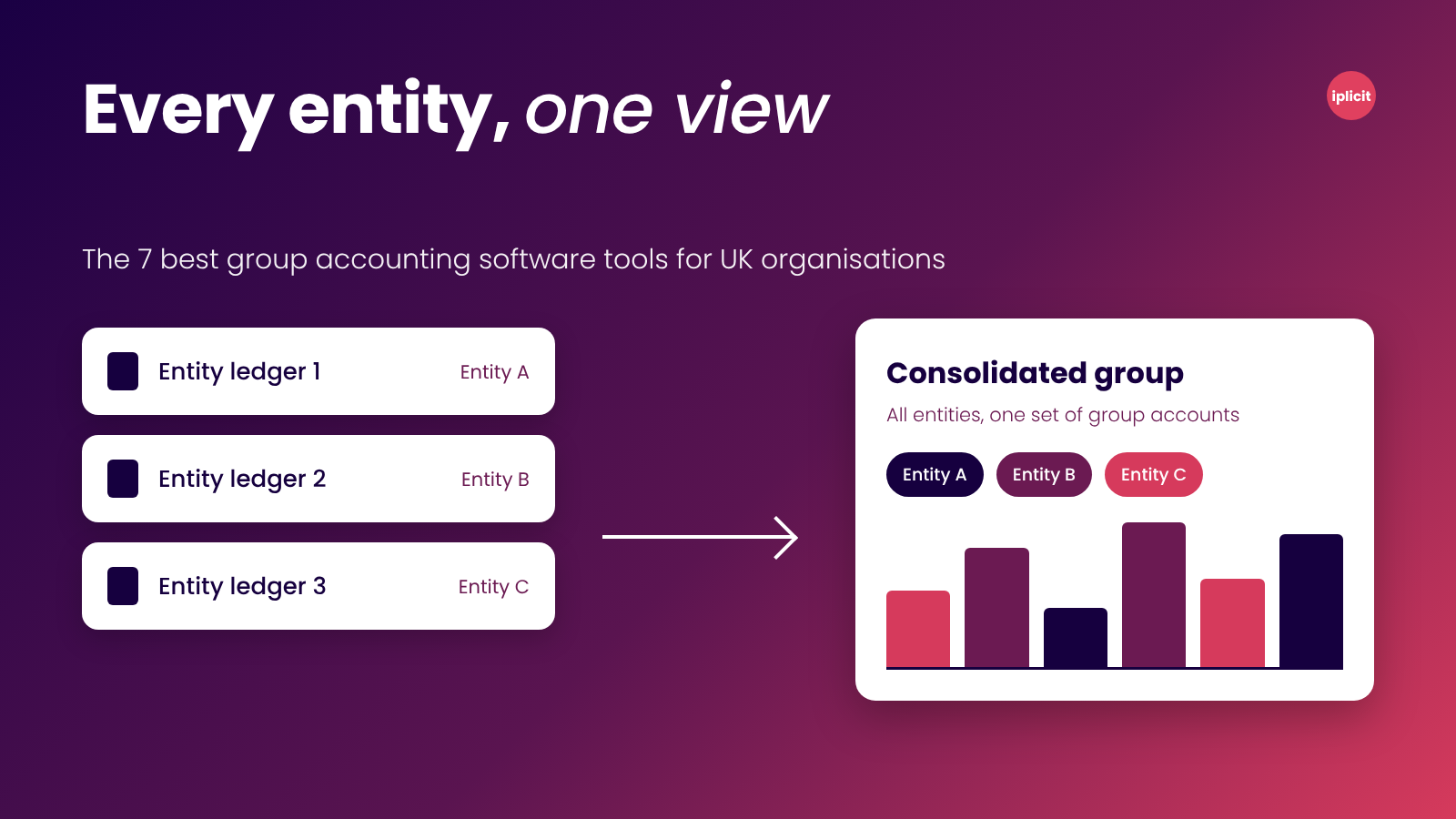
Sage 50 is built for organisations with a handful of companies and straightforward ledgers and stock. And Sage 200 is the more advanced option when you need cost-centre reporting, multi-location stock, purchase approvals, or multi-currency consolidation.
For organisations where intercompany elimination across several entities is the main challenge, choosing either still leaves you handling much of that work manually. iplicit creates the matching entry in the other entity and handles the eliminations for you.
Here’s how these three tools compare:
Upgrading to Sage 200 from Sage 50 is never just about company or user count
Upgrading from Sage 50 to Sage 200 isn’t about headcount. It’s about what the ledger can do. Most organisations that move aren’t doing it simply to add more entities or users. After all, a group running five companies on Sage 50 Standard would start with just one company on Sage 200 Standard and pay extra to add more. And Sage 50 Professional already supports unlimited users.
So, what actually drives the switch? This article explains what each Sage product was built for and the types of organisations each suits best. By the end, you’ll be able to decide which one to commit to.
Why listen to us?
iplicit is cloud accounting software for multi-entity organisations that have outgrown Sage 50 or Xero, and for those who want intercompany handled in the system rather than by hand.
A-One Insurance Group, for example, moved from Sage 50 to iplicit after struggling with unreliable consolidation across its nine legal entities. The move gave the group consolidated reporting in one system.
We understand how Sage 50 and Sage 200 work from supporting customers that migrated from them, and this article is based on that knowledge.
Sage 50 Accounts: what it does and who it suits
Best for: Organisations with up to five companies, a small finance team, and stock held in one location.
Sage 50 Accounts is a desktop accounting software installed on your own machines, with bank feeds and remote data access available as additional features. Two editions are currently available: Standard, which supports up to five companies and two users, and Professional, which has no limits on either.
The Professional edition also includes foreign currency (a paid add-on on Standard), a fixed asset register, sales and purchase orders, advanced stock features, and project costing. There was an entry-level Essentials in the past, but Sage no longer sells it.
Key features
- Multi-company: Open up to five companies on Standard, or as many as you need on Professional.
- Bank feeds: Import transactions from your bank and apply bank feed rules as they arrive.
- Making Tax Digital: File your VAT returns to HMRC from inside the software.
- Orders and stock: On Professional, raise sales and purchase orders, allocate stock, set reorder levels and keep a bill of materials.
- Project costing: Track costs against each project on Professional.
Key limitations
- The nominal ledger has a single level and supports departments only, with no separate cost-centre tracking.
- You need to use a lock date to prevent changes to past transactions because Sage 50 doesn’t have full closed-period accounting.
- It uses 12 fixed monthly accounting periods, which you can’t customise.
- There’s no purchase invoice authorisation, so approvals must happen outside the software.
- Stock management doesn’t support multiple locations or bin tracking, making it unsuitable for organisations with multiple warehouses.
Pricing structure
Sage 50 Accounts is a monthly subscription. Standard and Professional editions start at £129/month and £262/month, respectively, excluding VAT.
Pros
- Professional has no cap on companies or users, so a growing group won’t hit a capacity ceiling on that edition.
- Sage 50 integrates with Sage 50 Payroll, so payroll sits alongside the ledger.
- Professional includes a fixed asset register and automatic prepayments and accruals.
- Standard adds departmental profit and loss and balance sheet reports.
Cons
- Standard is capped at five companies and two users, so any finance team with three or more members will need the more expensive Professional edition.
- Consolidation needs Professional, and foreign currency is a paid add-on on Standard.
- Customisation is limited to third-party add-ons, and there’s no API.
- Each record type is limited to three analysis codes, restricting how far you can analyse your reporting.
Sage 200: what it does and who it suits
Best for: growing organisations with stock in several places or tighter spending controls.
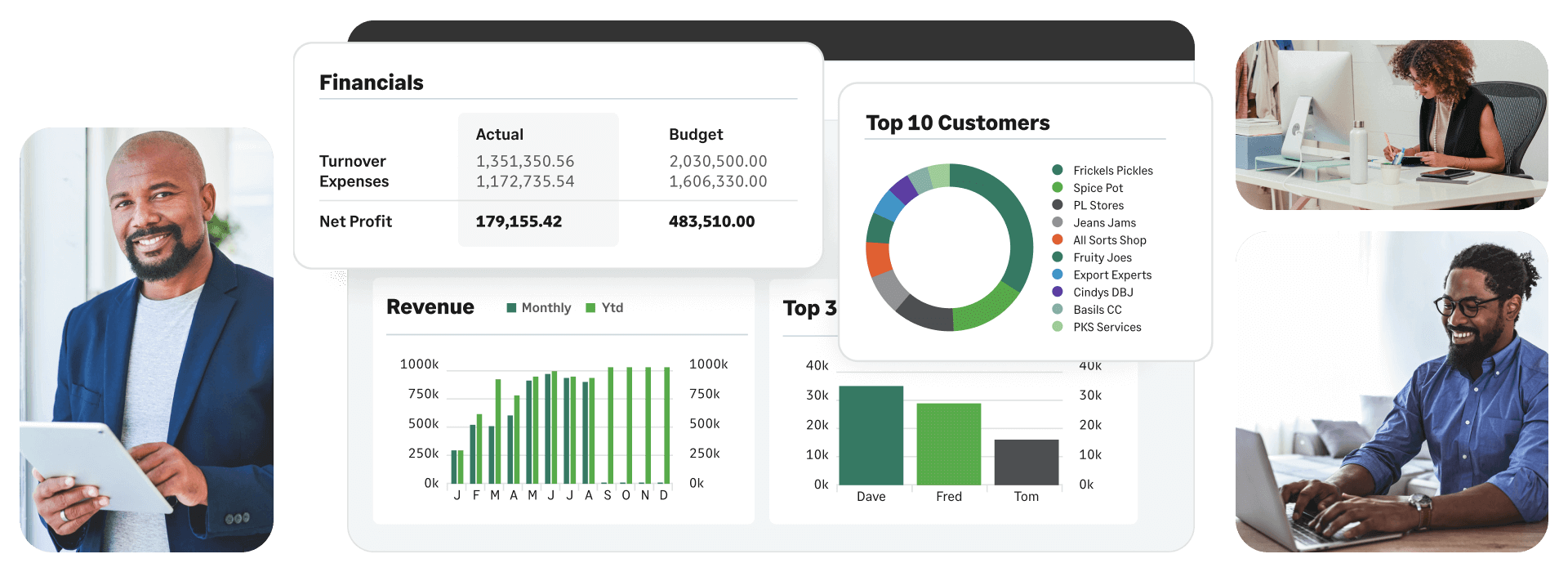
Sage 200 comes in two editions: Standard and Professional. Standard is hosted by Sage on Microsoft Azure and always runs the latest version. Professional can run on your own servers, through a third-party host, or in a Sage partner’s cloud. Both editions are sold through the Sage partner network.
Key features
- Hierarchical ledger: Report by nominal account, cost centre and department.
- Analysis codes: Tag transactions with 20 analysis codes for extra reporting.
- Closed periods: Control your own open periods, with full closed-period accounting.
- Purchase controls: Authorise purchase invoices and orders remotely, and raise purchase requisitions.
- Multi-location stock: Hold stock across locations and bins, and record landed costs.
- API: Connect other systems through the Sage 200 API.
Key limitations
- A Standard subscription includes one company and three users unless you request more.
- Standard consolidates companies in your base currency only. Only Professional supports multiple currencies.
- Serial traceability and project accounting are available only in Professional.
- Standard doesn’t support third-party add-ons, so you’re largely restricted to its built-in functionality and API integrations.
- Sage removed the Manufacturing module in the 2025 R2 release. Manufacturers now need to consider a third-party solution.
Pricing structure
Sage 200 prices come as a custom quote from Sage or a Sage partner. They are calculated based on your user count, number of companies, and the types of modules you license.
Pros
- Cost centres, departments, and analysis codes let you analyse the same expenditure from different angles.
- Purchase invoice and order authorisation workflows let you approve transactions before they’re paid or processed.
- Standard updates happen automatically, so you don’t have to schedule or manage software upgrades.
- The API lets you connect Sage 200 to other business systems.
Cons
- Standard starts with one company and three users, fewer companies than Sage 50 Standard’s five.
- Multi-currency consolidation requires Professional.
- Standard doesn’t support third-party add-ons, limiting your customisation options.
Where Sage 50 and Sage 200 differ the most
Companies, users and consolidation
Sage 50 Standard supports up to five companies and two users. A Sage 200 Standard subscription starts with one company and three users, with additional licences available on request.
Also, Sage 50 and Sage 200 Standard consolidate in your base currency only. Only Sage 200 Professional has multi-currency consolidation. If you run a UK company with an Irish subsidiary that reports in euros, only Sage 200 Professional can meet your consolidation needs.
Ledger structure and reporting
Sage 50 has a single-level nominal ledger with departments, three analysis codes per record type and 12 fixed monthly accounting periods. Sage 200 gives you a hierarchical structure with cost centres and departments, up to 20 analysis codes and user-definable open periods.
So, Sage 200 offers more flexibility in how you can analyse and report on spending. For example, you can track expenditure by both department and cost centre, then report on each separately. Sage 50 offers fewer analysis options, so you may need to do manual work in Excel to get the same level of detail.
Stock and orders
Sage 50 Professional supports standard stock allocation and reorder levels but doesn’t natively support multiple stock locations or bins. Sage 200 adds warehouse-level stock tracking, multiple bins, and landed costs. If you hold inventory across two or more warehouses and need to track where individual items are stored, Sage 200 offers the functionality to manage that within your accounting system.
Controls and approvals
Sage 50 doesn’t have built-in purchase invoice authorisation and uses a lock date to restrict changes to past transactions. Sage 200 Standard adds purchase invoice and purchase order authorisation, including remote approval of purchase orders, and full closed-period accounting. This means you can control who approves spending before orders are processed or invoices are posted, while preventing changes to closed accounting periods.
Deployment, customisation and support
Sage 50 is desktop software, while Sage 200 Standard is hosted on Sage’s Azure subscription. However, being hosted in the cloud doesn’t necessarily make software cloud-native. If cloud-native functionality matters to you, this checklist for telling true cloud from hosted desktop software will help you assess whether a platform truly offers browser-based access without remote desktop connections.
Sage 200 also offers an API for connecting to other business systems, while Sage 50 relies on third-party integrations. According to Sage’s lifecycle policy, Sage 200 product defects must be reported through your Sage business partner.
Which Sage product fits your situation?
Stay on Sage 50 if you run one to five companies, have two or fewer finance staff, and keep stock in one place. If you use Sage 50 Standard and simply need features like sales and purchase orders, multi-company consolidation, or project costing, Sage 50 Professional includes them, and you can simply upgrade. You don’t necessarily need to move to Sage 200.
Move to Sage 200 if you need to manage stock across multiple locations, report by cost centre, introduce purchase approval workflows, or consolidate accounts across subsidiaries using different currencies. For the last requirement, make sure you’re getting a quote for Sage 200 Professional, because Sage 200 Standard supports consolidation in your base currency only.
However, if your main challenge is managing intercompany operations, consider a third option. If you’re working across separate company files, manually matching intercompany balances each month and building consolidated group reports by hand in Excel, neither Sage 50 nor Sage 200 will fully solve the problem.
iplicit is built for that. It creates the matching entry in the other entity and handles the eliminations for you.
A third route when intercompany eliminations across entities are the problem: iplicit
Best for: UK multi-entity groups that have outgrown Sage 50 or Xero and want one system for the whole group, with eliminations handled for them.
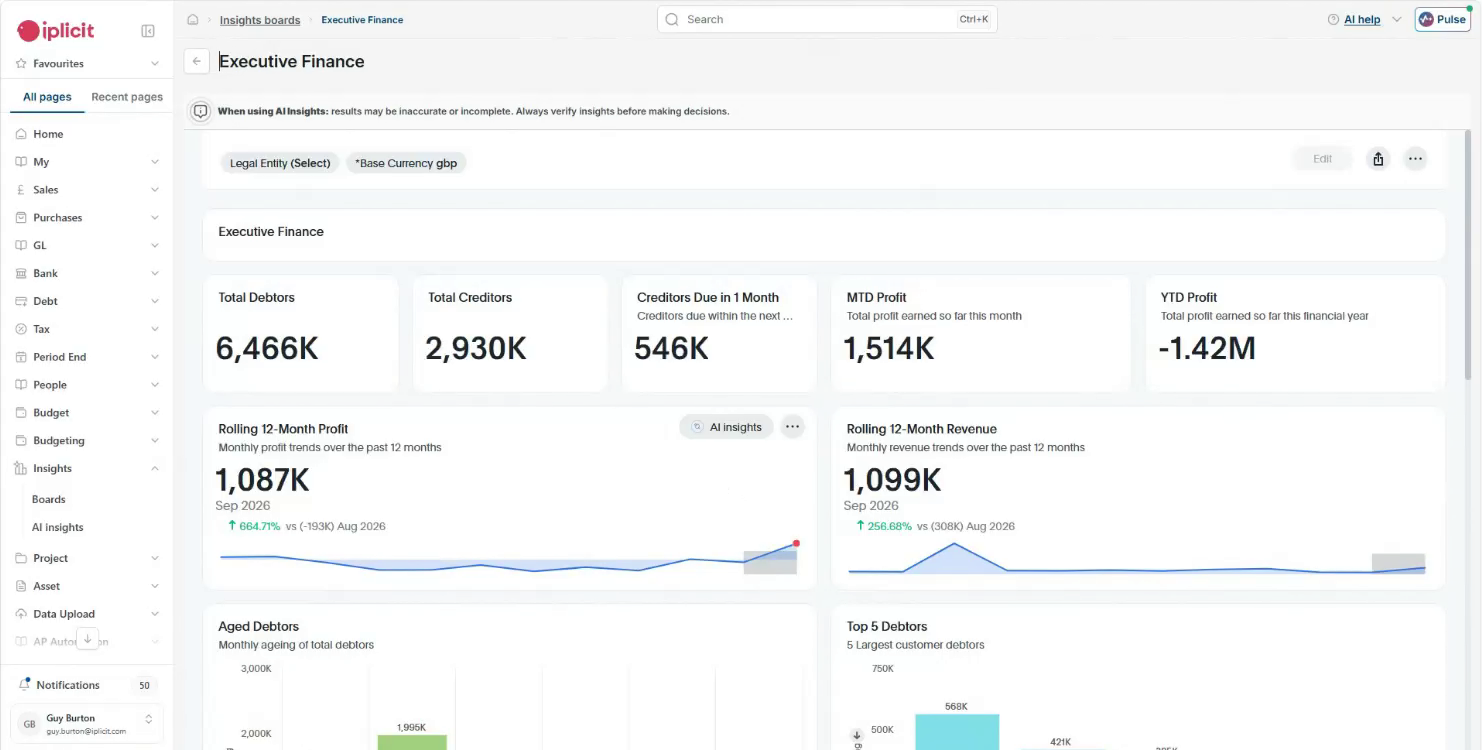
iplicit is our cloud accounting software for UK mid-market organisations that have outgrown entry-level systems. It brings multi-entity consolidation, flexible reporting dimensions and approval workflows into one platform.
We built iplicit for organisations managing several entities and spending too much time holding month-end together with spreadsheets.
You can manage all your entities in one system, consolidate across currencies and drill down from group-level figures to individual transactions. Each entity can have its own currency, tax settings, and financial year. And when you record an intercompany transaction in one entity, iplicit creates the corresponding entry in the other and handles the elimination process. Our group accounting page explains how this works.
The Grand Theatre Blackpool is a good example of how iplicit can improve operations for an organisation moving from Sage 50. Previously, the team ran Sage 50 on an on-premises server. Now, they manage three related companies in one iplicit system: the charity that owns the building, the operating company, and a catering subsidiary.
On iplicit, the team can switch between entities without logging out, and it can now reconcile nominal accounts, which it couldn’t do in Sage 50. Read the full story in The Grand Theatre Blackpool case study.
Key features
- Multi-entity accounting: Manage all your companies within one system rather than maintaining separate company files.
- Intercompany entries: Record a transaction once and iplicit creates the corresponding entry in the other entity.
- Intercompany eliminations: Eliminate intercompany balances during consolidation without manually matching and adjusting them in spreadsheets.
- Group consolidation: Consolidate across entities and currencies in one system, with intercompany handled in the system and drill-down to the source transaction.
- Multi-currency accounting: Each entity can have its own currency, tax settings and financial year.
- Flexible reporting dimensions: Analyse financial data across multiple dimensions without continually expanding your nominal ledger.
- Group reporting with drill-down: View consolidated figures and trace them back to the underlying transactions in individual entities.
Key limitations
- If you’re a single-entity organisation with straightforward accounting needs, Sage 50 or Xero will do the job.
- iplicit’s budgeting and financial planning and analysis (FP&A) capabilities are less extensive than those of dedicated planning tools.
- CIS verification and returns are handled through HMRC-recognised partner software (CIS Manager), integrated with iplicit, rather than natively.
- iplicit doesn’t include a manufacturing bill of materials (BOM) module.
- Inventory management is handled through an integration with Cin7. Cin7 manages your stock, while iplicit remains your financial system of record.
Pricing structure
We use transparent annual subscription pricing that scales with your users and entities, with fund accounting, multi-entity, and multi-currency capability included rather than sold as extra modules. You can check our licensing agreement for full contract terms.
After you sign, we migrate and test your data in a sandbox, and nothing goes live until you’ve reviewed and signed off on the results. See our Sage 50 migration page to see how we handle organisations switching to iplicit from Sage 50.
Pros
- Brings multiple entities into one system, making it easier to switch between companies without logging in and out.
- Creates the matching intercompany entry and handles eliminations, reducing manual reconciliation at month-end.
- Gives finance teams consolidated group figures with drill-down to individual transactions.
- Up and running in weeks, not months, with data migrated and tested in a sandbox before go-live.
Cons
- Not the best option for organisations with straightforward, single-entity accounting needs.
- Budgeting and financial planning and analysis (FP&A) capabilities are less extensive than those of dedicated planning tools.
- Inventory management requires an integration with Cin7, and iplicit doesn’t include a native manufacturing bill of materials (BOM) module.
Sage 50 vs Sage 200 vs iplicit: feature comparison
Pick the accounting software that saves you the most time
For a multi-entity group, manual month-end work can quickly eat into your finance team’s time. Your team has to pull figures from separate company files, match intercompany balances, post elimination entries, and build consolidated reports in Excel. This process can take days or even weeks, delaying access to accurate group-level financial information.
Sage 50 and Sage 200 both support consolidation, but neither automates the entire intercompany process, so you still have to spend considerable time handling intercompany transactions manually.
iplicit brings all your entities into one system. Record an intercompany transaction once and it creates the matching entry in the other entity, with eliminations handled for you. And you consolidate across entities and currencies in the same system. With iplicit, your team spends less time on spreadsheets and more on analysing the figures.
Want to see exactly how iplicit does this? Then, book a demo, and we’ll walk you through group accounting using your own entities. If you’d prefer to look around first, take the Quick Tour.
Is Sage 200 still supported?
Is Sage 200 still supported?
Yes. Sage still sells and updates both editions of Sage 200. Standard is always on the latest version, and Professional had two releases in 2025, R1 and R2. Sage has retired some modules, like Manufacturing.
Does Sage 200 still exist?
Does Sage 200 still exist?
Yes. Sage 200 is on sale in two editions. Standard is the cloud edition that Sage hosts on Microsoft Azure. Professional is the edition you can run on your own servers, with a third-party host, or in a Sage partner’s cloud.
Is Sage 50 still supported?
Is Sage 50 still supported?
Yes. Sage still sells Sage 50 Accounts in Standard and Professional editions, and its variant comparison page was last updated on 22 September 2026. Only the entry-level Essentials edition is no longer available to buy.
What is the best version of Sage?
What is the best version of Sage?
The best version depends on what your organisation needs. Sage 50 Standard supports up to five companies and two users, while Sage 50 Professional removes those limits, includes foreign currency and adds features like project costing and advanced stock management. Sage 200 offers more advanced capabilities, including cost-centre reporting, multi-location stock and purchase approval workflows. Choose based on the features your finance team needs, not simply the number of companies or users.