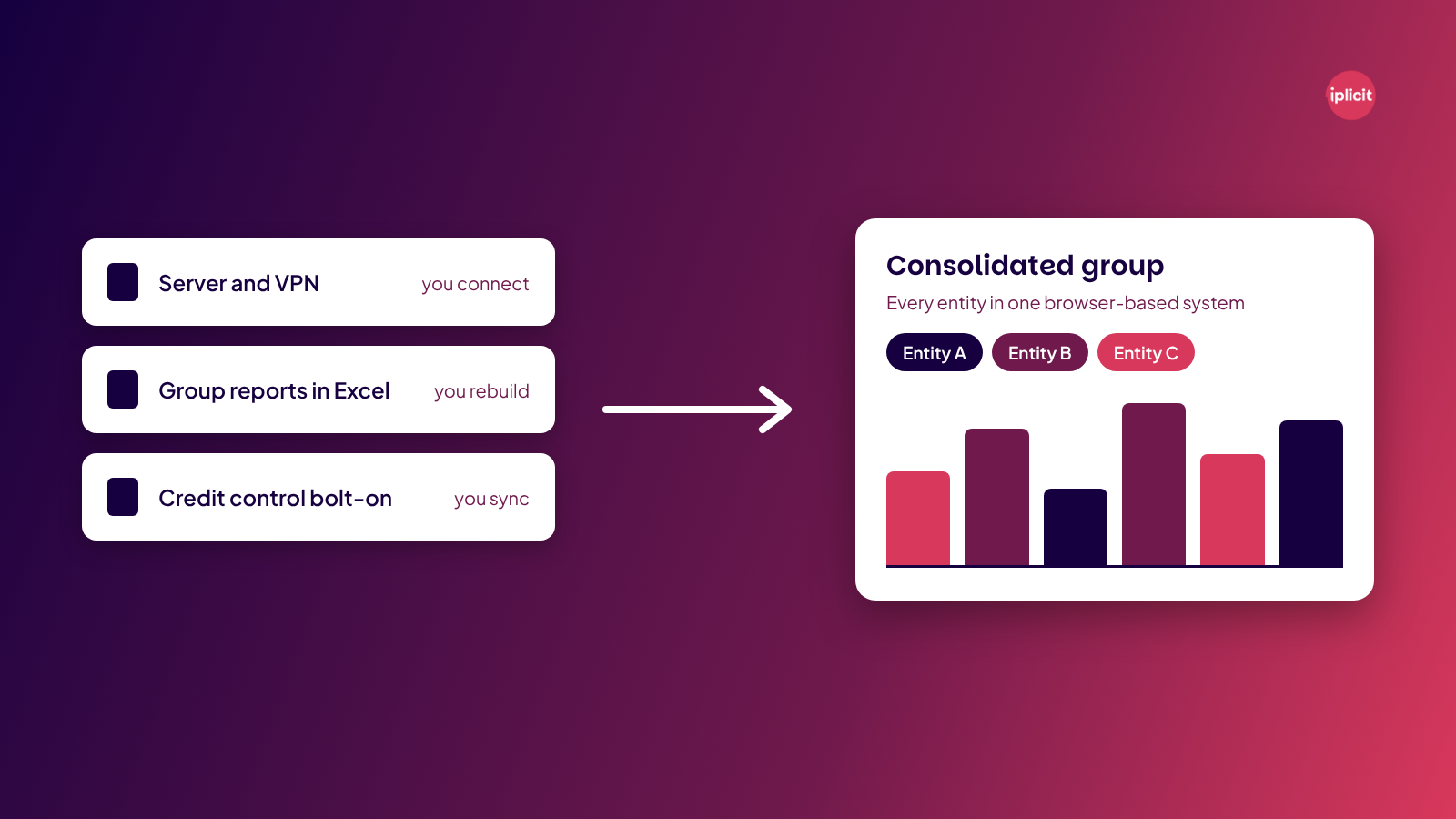
If you run more than one entity, the Exchequer alternatives to shortlist first are iplicit, Sage Intacct and AccountsIQ. All three run in a browser and consolidate your entities in one system, and iplicit can also bring your Exchequer history across into an archive. If you run a single company with simple books, Xero or QuickBooks will cover you for less.
| Platform | Best for | Starting price |
|---|---|---|
| iplicit | Multi-entity UK organisations moving off Exchequer | Quote-based |
| Sage Intacct | Groups that want sector modules | From £1,200/month + VAT |
| AccountsIQ | Groups that want a published entry price to benchmark | From €275/month (Core, 1 entity) |
Finding the right Exchequer alternative
In December 2023, Advanced moved Exchequer into extended support. Advanced said it would reduce its investment in development, so the roadmap covers essential maintenance, legislative changes and security work. Exchequer still runs, and it still closes the month for plenty of UK organisations.
That gives you time to choose a replacement carefully, and to plan how your reporting and years of Exchequer history come across. This guide compares 10 alternatives on consolidation, cloud access, migration and pricing. Each entry shows who the platform suits and where it falls short.
What is Exchequer?
Exchequer is a UK accounting and financial management package. Advanced sells it today as Advanced Exchequer. Exchequer Software built it, and IRIS bought the company in 2005. Advanced Computer Software took it on in March 2013, when it bought Exchequer's then-owner, Computer Software Holdings, for £110m. It’s server-based Windows software.
Why seek alternatives to Exchequer?
Exchequer still does the core job, but four pressures tend to push teams to look elsewhere:
1. Finance work stays tied to the server
Exchequer Mobile covers approvals on the go, but posting, reconciling and reporting still run through the server, which means a VPN or remote desktop away from the office. At Autism Together, Director of Finance Louise Parnell says IT used “convoluted methods” to let staff work from home, and it was often awkward. That's why the difference between true cloud and hosted software is one of the first things to pin down on your shortlist.
2. Group reporting ends up in spreadsheets
If you run several entities, it's worth checking how much consolidation happens outside your accounting system. For many finance teams, it’s the reason the search starts. Autism Together says compiling consolidated accounts got much simpler once the spreadsheet hours disappeared.
3. Bank reconciliation takes half a day
At Yorkshire Wildlife Trust, reconciling the main bank account took half a day on Exchequer. It's down to five minutes now with automated bank reconciliation.
4. Integrations depend on bolt-ons
Connecting Exchequer to other tools often means bolt-ons that keep their own copy of your data. Insight Associates ran a credit control bolt-on that had to stay in sync with the Exchequer database. When it didn't, chasing letters went out for debts paid the day before.
10 best Exchequer alternatives
| # | Tool | Best for | Starting price | Capterra UK rating |
|---|---|---|---|---|
| 1 | iplicit | Multi-entity UK organisations moving off Exchequer | Quote-based | 4.6/5 (53 reviews) |
| 2 | Sage Intacct | Groups that want sector modules and a big marketplace | From £1,200/month + VAT | 4.3/5 (718 reviews) |
| 3 | AccountsIQ | Groups that want cloud consolidation with a published entry price | From €275/month (Core, 1 entity) | 4.6/5 (44 reviews) |
| 4 | Sage 200 | Organisations where stock and warehousing come first | Quote-based | 4.3/5 (48 reviews) |
| 5 | Access Financials | Organisations already running other Access software | From £10,508/year | 4.0/5 (1 review) |
| 6 | Dynamics 365 Business Central | Teams on Microsoft 365 that want a full ERP | From £61.50/user/month | 4.1/5 (209 reviews) |
| 7 | Sage 50 | Small single-company teams that prefer desktop software | From £129/month + VAT | 4.0/5 (630 reviews) |
| 8 | Xero | Single-entity organisations that want simple cloud accounting | From £18/month + VAT | 4.4/5 (3,332 reviews) |
| 9 | QuickBooks | Small UK organisations with straightforward books | Plus: £60/month | 4.3/5 (8,544 reviews) |
| 10 | NetSuite | Large groups that need ERP across several countries | Quote-based | 4.2/5 (2,082 reviews) |
1. iplicit
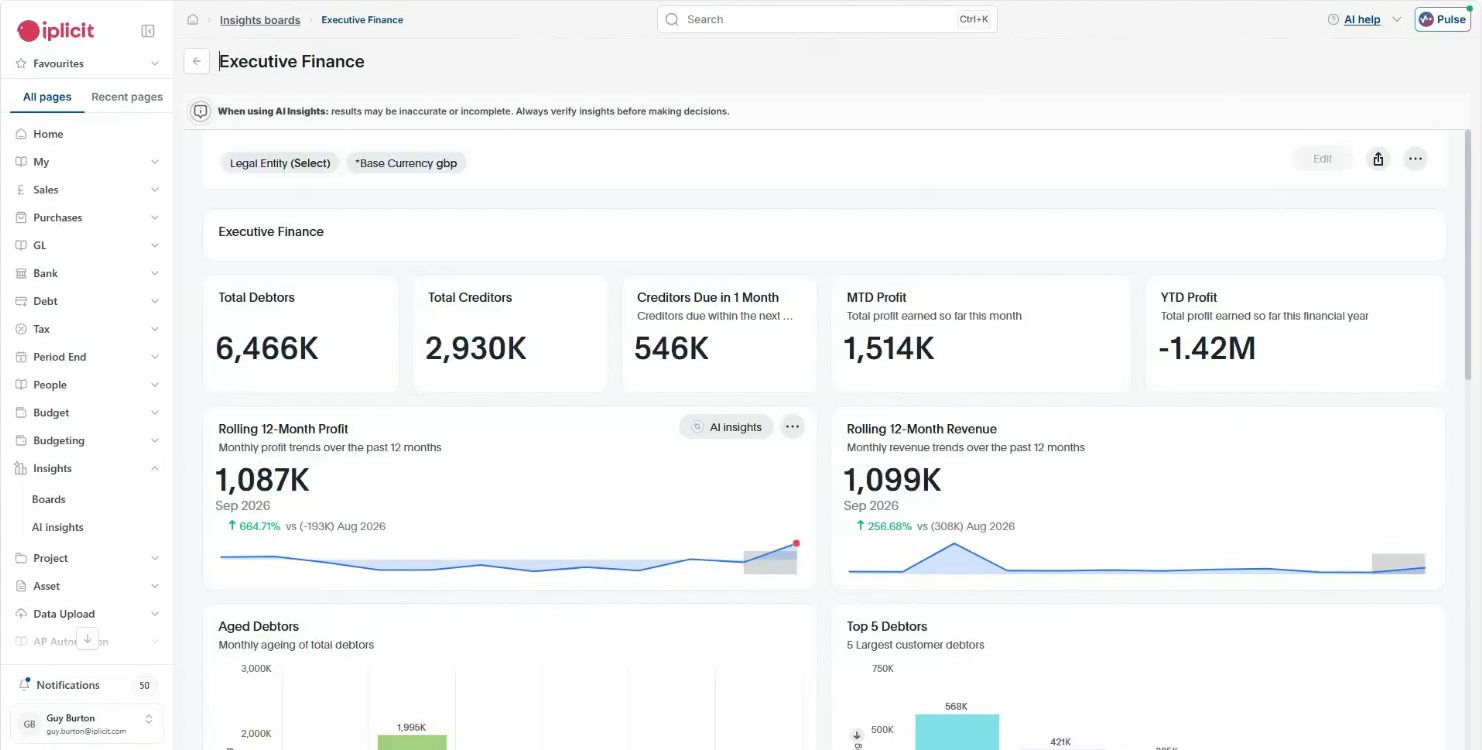
Built for groups that run several entities, iplicit replaces a server-based package like Exchequer with one system your team reaches in a browser. On separate company files, a recharge between two companies gets posted twice, once in each file. In iplicit, all your entities sit in one system, so you enter the recharge once and the matching entry appears in the sister company. You consolidate across entities and currencies in that same system, with intercompany handled in the system and drill-down to the source transaction.
The Exchequer move is where iplicit’s history helps most. Your Exchequer history can be archived inside iplicit as a read-only, searchable record, so you don’t have to keep paying for access to the old system. Implementation timelines are measured in weeks.
Lewis-Manning Hospice Care used to spend two or three days a month typing in more than 500 retail transactions. Now a daily file from the shop tills comes straight in, and they upload 16 to 18 invoices instead.
If you're a single-entity organisation under 25 staff with simple books, iplicit may not be the right fit for you. Xero or QuickBooks will serve you well for far less. If you need a manufacturing bill of materials or a dedicated planning tool, look at Business Central or Sage Intacct.
Key features
- Consolidated reporting: Consolidate across entities and currencies in one system, with intercompany handled in the system and drill-down to the source transaction.
- Intercompany recharges: Enter a recharge in one company and have the mirror entry created in the other.
- Reporting dimensions: Tag each transaction by fund, project or site as you post, using as many reporting dimensions as you need, with no need to add GL codes.
- Exchequer archive: An optional Data Archive service keeps your historical Exchequer transactions inside iplicit as a read-only, searchable record.
- Live Excel add-in: Pull live figures into the spreadsheets your team already uses for board packs.
- Spend approvals: Send purchase orders and expense claims to the right approver, with every sign-off logged.
- Integrations and open API: Connect payroll, CRM and other tools through pre-built integrations or an API connection.
Pricing
iplicit offers transparent subscription pricing that scales with your users and entities, with fund accounting, multi-entity and multi-currency capability included rather than sold as extra modules.
Rating
Capterra UK: 4.6/5 (53 reviews)
Pros
- Yorkshire Wildlife Trust moved its Exchequer archive across and stopped paying for a read-only copy.
- Your team posts, reconciles and approves in a browser. There’s no VPN or remote desktop to look after.
- Lewis-Manning and Autism Together have already moved from Exchequer to iplicit.
Cons
- Budgeting is lighter than a dedicated FP&A tool, so planning-heavy teams may want an add-on.
- CIS is handled through integrated partner software (CIS Manager) rather than built in.
- Manufacturers needing a bill of materials will find gaps.
2. Sage Intacct
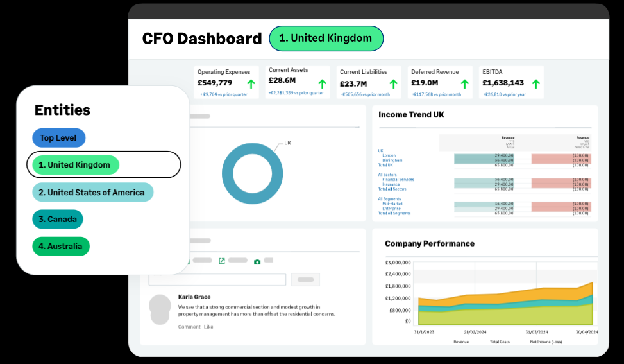
For an Exchequer team, Sage Intacct is a big jump. You go from a server-based package to a modular cloud platform for mid-sized organisations. The base subscription covers payables, receivables, dimensions, dashboards and reporting across entities, and you add further modules from there.
Getting there takes a planned implementation, and Sage runs it through its Professional Services team or one of its certified partners. That team brings in your historical data, sets up your configuration and reporting, and recommends training, then gives you a period of post go-live support on top of your regular support.
Key features
- Consolidation at scale: Roll a small group or a very large one into a single set of accounts, with eliminations posted for you.
- Dimensional dashboards: Slice reports and dashboards by several dimensions at once.
- Industry solutions: Add functionality shaped for sectors like hospitality, healthcare and SaaS.
- AI month-end help: See which month-end jobs are still open and get warned early when something looks off.
Pricing
Sage Intacct starts at £1,200 a month plus VAT, with three full users included. Support fees, implementation, data migration and training are quoted on top.
Rating
Capterra UK: 4.3/5 (718 reviews)
Pros
- Sage's own services team can run the project, so you aren't limited to partners.
- You can check the entry price on Sage's site before you speak to anyone.
Cons
- The starting point is £14,400 a year before support and implementation.
- Every extra module, user type or entity adds to the quote.
- You can’t implement it yourself, because Sage requires its Professional Services team or a certified partner.
3. AccountsIQ
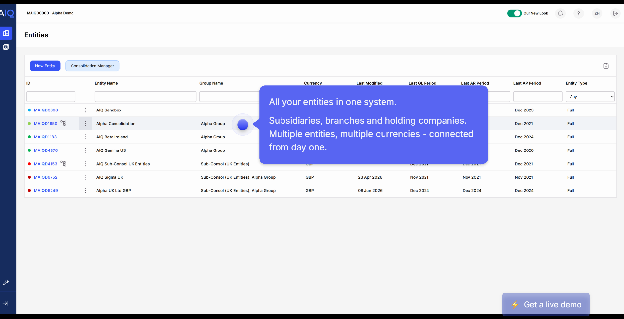
AccountsIQ is a cloud accounting platform with group consolidation and centrally managed exchange rates for multi-entity groups. Intercompany eliminations are set up once and applied automatically in every consolidation, and an intercompany matrix shows the flows between all your entities in one view.
AccountsIQ positions its Scale plan for “multi-entity or high-growth organisations”. That’s the tier to ask about if you’re consolidating a group.
Key features
- Group consolidation: Pull multi-currency entities together and keep intercompany balances in check.
- Purchase orders: Create and approve POs without leaving AccountsIQ, once you're on Growth or above.
- Asset tracking: Record fixed assets and their depreciation alongside the rest of your accounts on Growth or above.
- AIQ Dashboards: Filter P&L, cash and group dashboards by department, region or project.
Pricing
Plans start from €275 a month for Core, which covers one entity and two users. Growth, Scale and sterling pricing are quoted on request.
Rating
Capterra UK: 4.6/5 (44 reviews)
Pros
- A published euro starting price gives you a benchmark before you ask for a quote.
- Growth adds multi-step approvals.
- Even Core includes bank feeds with automatic reconciliation and a mobile app.
Cons
- A group with several entities won't fit the €275 Core plan, which is built for one.
- BI analysis runs to two, four or six dimensions by plan, and no further.
- There's no sterling price without a call.
4. Sage 200
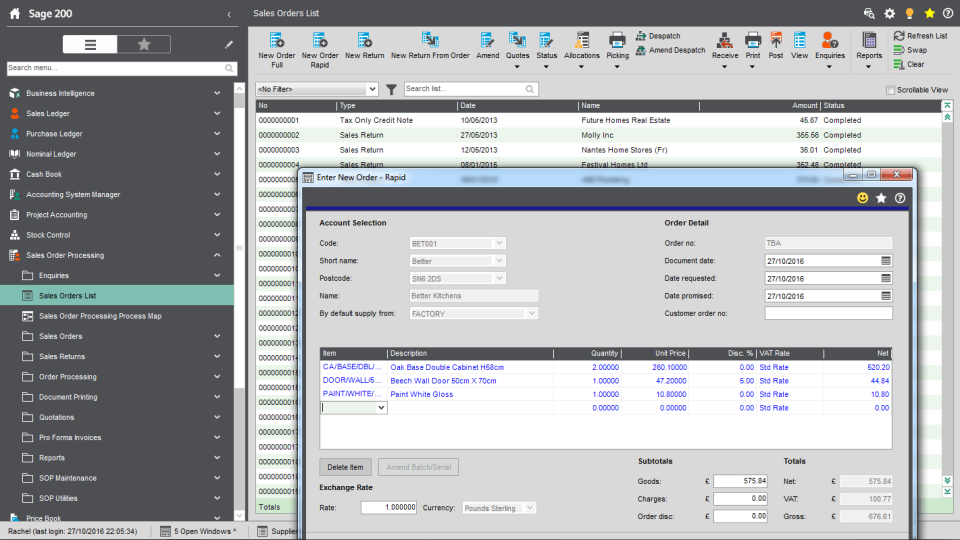
Sage 200 suits Exchequer users whose business runs on stock. It comes as Standard (cloud) or Professional (flexible deployment).
Sage lists stock, warehouse management, batch and serial traceability and bill of materials alongside the ledgers. Sage 200 Professional can consolidate subsidiaries by posting their balances into a parent company as a journal, and Standard needs every company on one base currency.
Key features
- Stock and warehouse management: Track stock levels and movements across your warehouses.
- Batch and serial traceability: Trace items by batch or serial number.
- Project accounting: Record costs and revenue against individual projects.
- Microsoft 365 integration: Connect Sage 200 with Microsoft 365 and the Power Platform.
Pricing
There's no public pricing for Sage 200 on Sage's UK site. You request a callback, or go through an accredited Sage partner for a quote.
Rating
Capterra UK: 4.3/5 (48 reviews)
Pros
- Stock, warehousing and bill of materials live alongside your ledgers.
- You can choose cloud (Standard) or flexible deployment (Professional).
- Professional opens up Sage's marketplace of add-ons.
Cons
- Group figures are only as current as the last consolidation posted to the parent.
- Sage keeps Sage 200 prices off its site. To get a number, you’d have to talk to a partner.
- Full customisation needs the Professional edition.
5. Access Financials
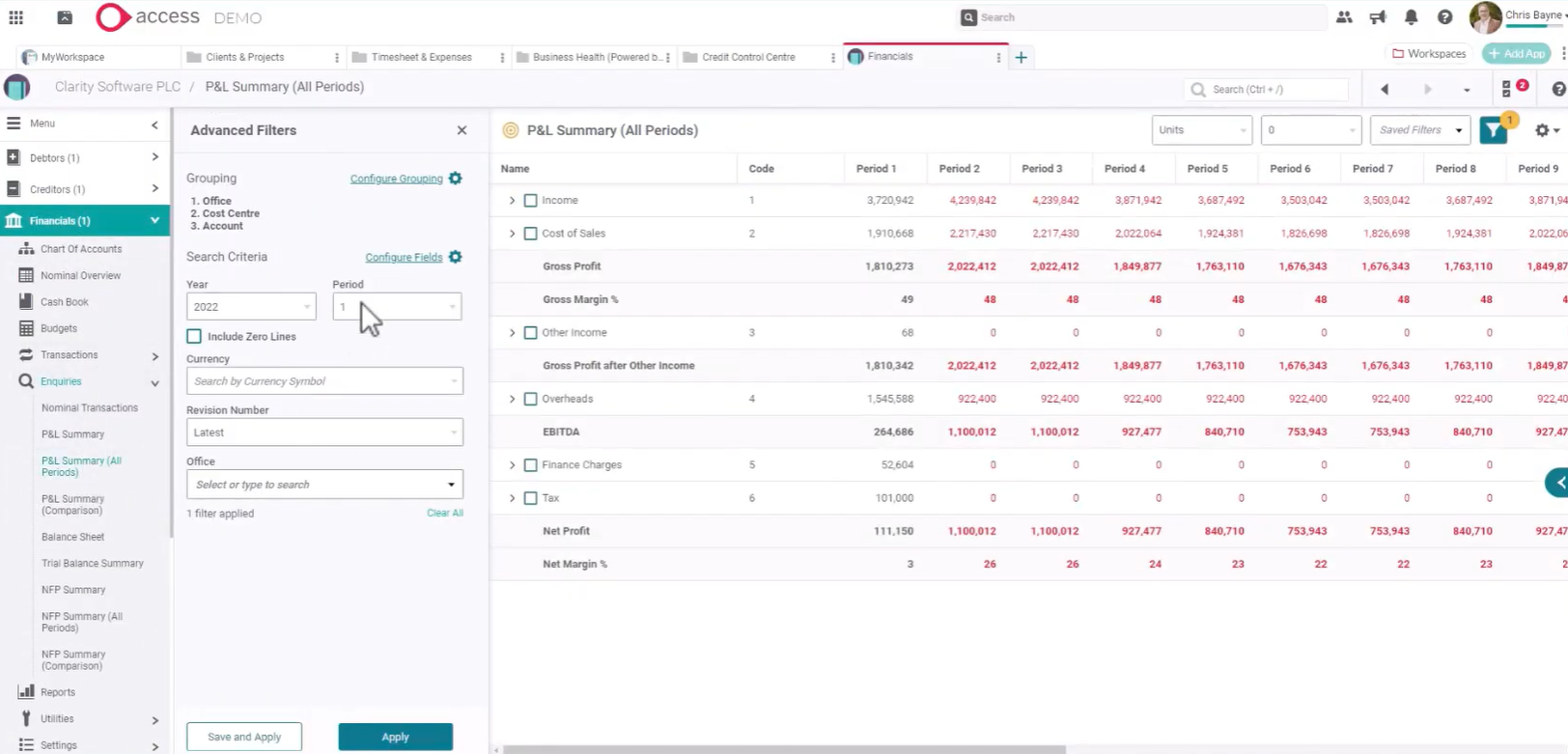
Access Financials is The Access Group’s finance product, with cloud accounting, intercompany posting and automatic bank reconciliation.
Group reporting is available, but consolidation runs from a separate database linked to each entity’s ledger, and is added through extra implementation services. It makes most sense if you already run Access HR or payroll.
Key features
- Group reporting (add-on): Bring several companies together for group reporting, even when they have different year ends.
- Intercompany posting: Create intercompany transactions without re-keying them in each entity.
- Automatic bank reconciliation: Reconcile bank transactions through secure open banking feeds.
- Budget revisions: Keep several budget revisions alongside actuals and forecasts in the nominal ledger.
Pricing
Access Financials’ cloud accounting packages start from £10,508 a year, across three packages for different types of organisation.
Rating
Capterra UK: 4.0/5 (1 review)
Pros
- If you already use Access for HR or payroll, you keep one supplier.
- You can see where pricing begins, at £10,508 per year, before you call.
- Consolidation supports multiple reporting currencies and chart of accounts mapping.
Cons
- Consolidation isn’t a standard module. It’s added through extra implementation services and runs from a separate linked database.
- Access doesn’t say what each of its three packages includes. You’ll need a quote to compare them.
- Access Financials has very few public reviews.
6. Microsoft Dynamics 365 Business Central
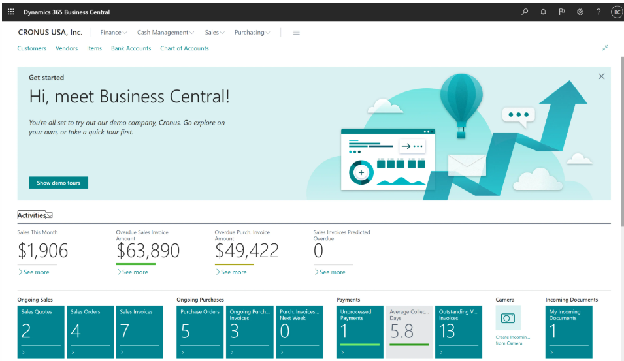
If your team lives in Outlook, Excel and Teams, Dynamics 365 Business Central fits in naturally. It's Microsoft's software for finance, sales and operations, so it does far more than accounting and needs a Microsoft partner to set up.
For groups, Business Central copies each subsidiary's entries across to a separate company kept for the group view.
Key features
- Consolidation setup guide: Set up group reporting with Microsoft's built-in guide, even when companies sit in different environments.
- Microsoft Copilot: Use Copilot, included in Essentials, inside everyday finance tasks.
- Manufacturing and service management: Add both on the Premium plan.
- Team Members licences: Give occasional users low-cost access to read data and approve workflows.
Pricing
Business Central is charged per user per month, paid yearly and before VAT. Essentials costs £61.50, Premium £84.60 and Team Members £6.20, and your partner prices implementation separately.
Rating
Capterra UK: 4.1/5 (209 reviews)
Pros
- It works closely with the Microsoft 365 tools you already use.
- Premium adds manufacturing for organisations that make what they sell.
- Published per-user prices let you budget for licences upfront.
Cons
- The consolidated company is a copy, and that means it's only as current as the last time it was updated.
- You'll rely on a partner for implementation and later changes.
- Intercompany eliminations are a manual step after each consolidation.
7. Sage 50
Sage 50 suits a smaller Exchequer user who’d rather keep a desktop package. It’s Sage’s small-business accounting software, with cloud connectivity that allows you to reach your data away from the office and share it securely with your accountant. Standard covers automatic bank reconciliation, stock tracking and Making Tax Digital for VAT and Income Tax.
Professional adds sales and purchase orders, a fixed asset register, management reports across companies and project costing, and includes foreign currencies, which cost extra on Standard.
Key features
- Multi-company management reports: Report across several companies and departments on Professional.
- Sage Copilot: Use AI tools such as Report Finder to find and build reports faster.
- AI document capture: Capture supplier documents automatically, with 50 or 75 captures included.
- Project costing: Track project costs and profitability on Professional.
Pricing
Sage 50 Standard starts from £129 a month and Professional from £262 a month, both before VAT. Extra users cost more on both plans.
Rating
Capterra UK: 4.0/5 (630 reviews)
Pros
- Standard already lets you manage multiple companies and departments.
- Both plans have published prices.
- You can try either plan free for 30 days.
Cons
- It's desktop software first.
- Multi-company reports need Professional.
- Professional costs more than double the Standard price.
8. Xero
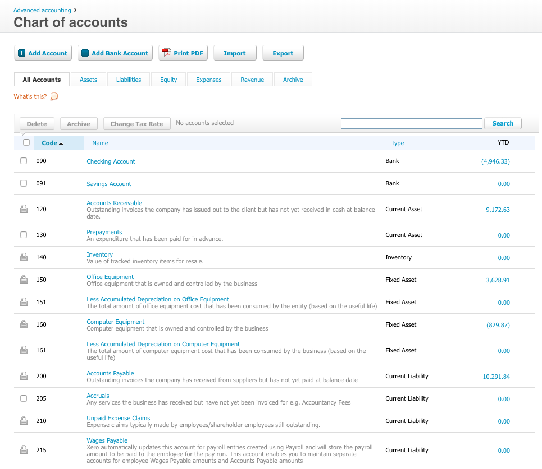
Xero is a straightforward move to the cloud for a single company. For a single entity, you'll get invoicing, VAT and bank feeds.
Groups hit a limit, though, because each subscription covers one organisation and Xero says native consolidated reporting isn’t currently planned. You'd be swapping separate company files for separate Xero subscriptions.
Key features
- Bank feeds: Connect to more than 21,000 financial institutions.
- Payroll: Run payroll for 1, 5 or 10 people, depending on your plan.
- Expenses and mileage: Let 1, 5 or 10 people claim expenses, depending on your plan.
- Projects: Track time and costs on projects with the Ultimate plan.
Pricing
Xero charges per organisation, before VAT, across four UK plans. Ignite costs £18 a month but is capped at 20 invoices and 10 bills, and Grow, Comprehensive and Ultimate cost £39, £55 and £70 a month.
Rating
Capterra UK: 4.4/5 (3,332 reviews)
Pros
- The whole team can log in without per-user fees.
- A large app store fills gaps like inventory and consolidation.
- It's cheap for a single company with simple books.
Cons
- A five-company group runs five separate subscriptions.
- Group reporting relies on a third-party app.
- Multi-currency only comes with the two higher plans.
9. QuickBooks
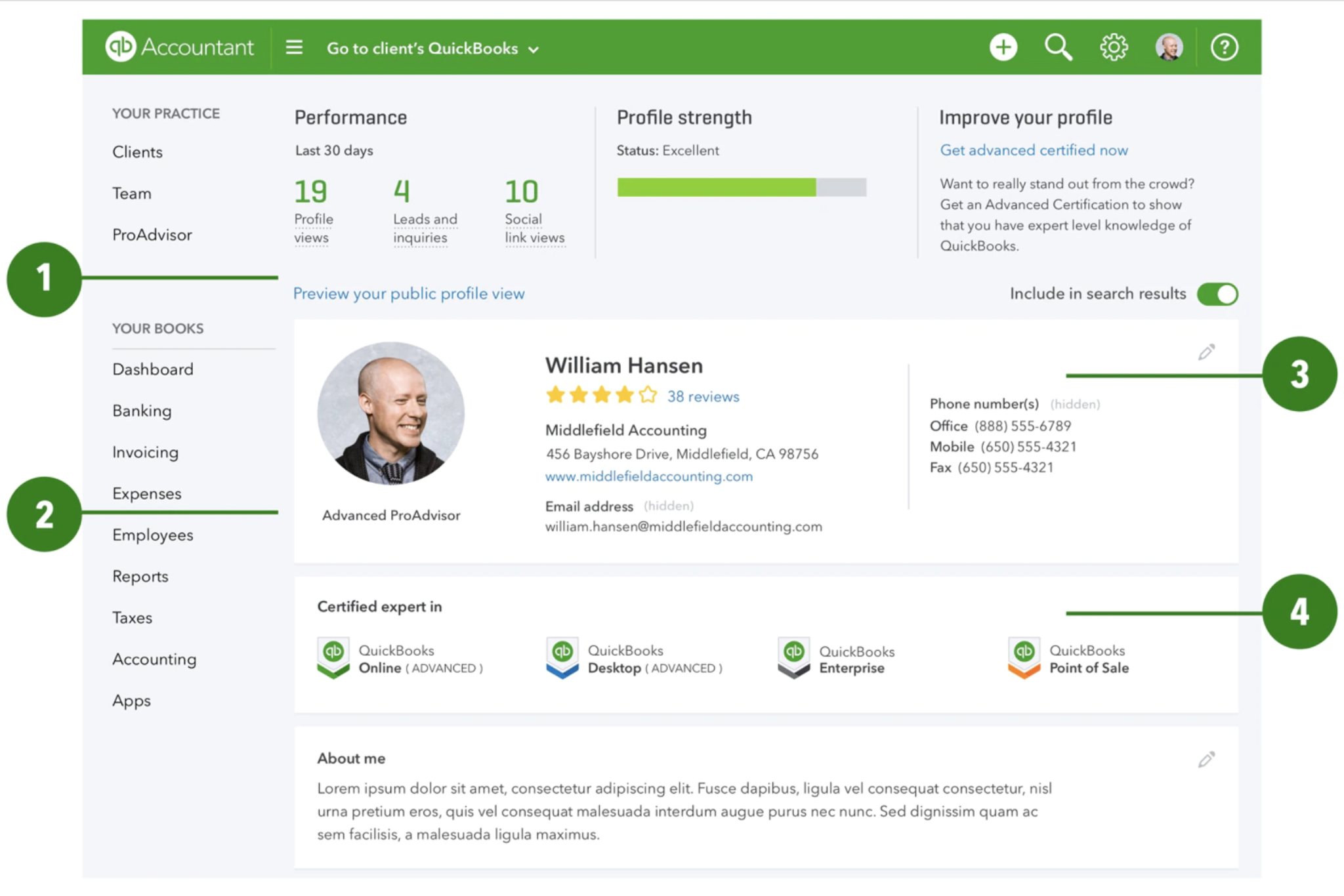
Like Xero, QuickBooks Online suits a single UK company with straightforward books. It's Intuit's cloud accounting software, and it’s ready for Making Tax Digital. Every plan includes automated bank feeds and lets you calculate and submit CIS returns to HMRC.
If you outgrow Plus, Advanced adds fixed asset tracking and revenue recognition, at £128 a month for up to 25 users. Consolidation across companies isn't in any of its UK plans, though, so it won’t fix group reporting.
Key features
- Making Tax Digital: File VAT returns to HMRC from inside QuickBooks.
- Projects and stock: Manage projects and stock on the Plus plan.
- Custom permissions: Set bespoke user permissions and reporting on Advanced.
- Accountant access: Give your accountant access to your books on every plan.
Pricing
Plus, the plan you’re most likely to compare as you grow, costs £60 a month for up to five users once the introductory offer ends.
Rating
Capterra UK: 4.3/5 (8,544 reviews)
Pros
- Multiple currencies are included from Essentials upwards.
- Plans run monthly with no contract and you can cancel anytime.
- A 30-day free trial lets you test it with your own data.
Cons
- Revenue recognition and fixed asset tracking need Advanced, which costs more than double the Plus price.
- Users are capped by plan, from one on Simple Start to 25 on Advanced.
- Bespoke permissions only come with the top plan.
10. NetSuite
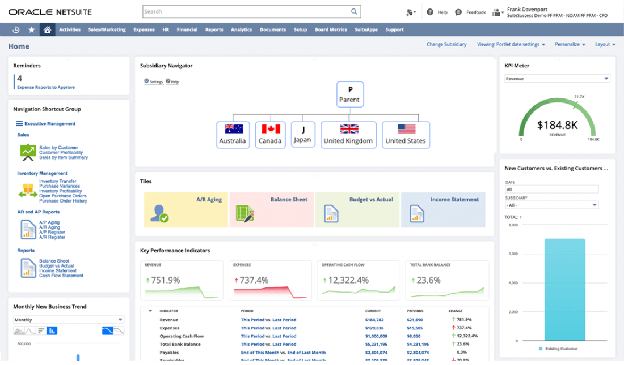
Oracle NetSuite makes sense when your group is expanding across several countries. Its core cloud ERP covers accounting, inventory, order management and tax, and multi-subsidiary groups add NetSuite OneWorld for global consolidation.
For a UK team mainly fixing consolidation and cloud access, it may be more system than you need.
Key features
- NetSuite OneWorld: Manage multiple subsidiaries and consolidate across currencies, with a real-time roll-up from local operations to group level.
- Core ERP platform: Run accounting, inventory, order management and tax in one system.
- SuiteCloud platform: Customise workflows and build integrations on NetSuite's development platform.
- Add-on modules: Switch on new modules and users as the organisation grows.
Pricing
NetSuite doesn't list prices. Your yearly licence fee depends on the platform, the modules you switch on and how many people log in. Then there's the setup work, which is billed once at the start.
Rating
Capterra UK: 4.2/5 (2,082 reviews)
Pros
- It handles groups trading across many countries and currencies.
- Inventory and order management sit alongside finance.
- Tax management is part of the core platform.
Cons
- Managing and consolidating subsidiaries comes through NetSuite OneWorld. Check that it’s included in your quote.
- Budgeting has to wait until Oracle or a partner sends a quote.
- Every extra module and user adds to the annual licence.
How we evaluated these Exchequer alternatives
We judged each alternative on five factors:
- Multi-entity support: Whether consolidation and intercompany work happen inside the system.
- Cloud access: Browser access without a VPN or remote desktop.
- Migration: How your Exchequer history and opening balances get across.
- Pricing transparency: Whether there's a published price, and what sits on top.
- Controls: Approvals and audit trails that scale with your team.
How to choose an Exchequer alternative
Five questions will narrow the list quickly:
- How is the group view built? Ask the vendor to post an intercompany transaction and show you how it flows through to the group P&L. Some keep every entity in one ledger, while others copy or import figures into a separate company or database for the group view.
- What happens to your Exchequer history? Ask how many years of transactions come across and whether they’re searchable in the new system. Also ask whether you’ll still need to pay for read-only access to Exchequer.
- Who needs a full licence? List who posts transactions and who only approves or looks things up. Per-user pricing suits a small finance team, but it adds up when budget holders across several sites need access. Confirm what cheaper approval-only options exist.
- What does year one really cost? Add up licence, implementation, data migration, training and support. Several vendors here quote implementation and support separately from the subscription, and consolidation can be an add-on.
- Does the timeline fit your year-end? Ask for a dated plan covering data mapping, testing and training. Many teams aim to go live at the start of a financial year, so plan back from yours.
The guide to changing your finance system walks through the whole process, and the evaluation checklist helps you compare your shortlist.
Which Exchequer alternative is right for you?
The right Exchequer alternative comes down to how many entities you run and how much history you need to keep. If you run several entities and rebuild the group in Excel today, start with iplicit, which consolidates across entities and currencies in one system and can bring your Exchequer archive across. Sage Intacct is worth a look for sector modules or a planning tool, AccountsIQ for a published entry price, and NetSuite if you’re expanding across several countries.
If stock drives your business, look at Sage 200, and if you work in Microsoft 365 and need manufacturing, Business Central. Access Financials keeps you with one supplier if you already use Access. A single company with simple books will do fine on Xero, QuickBooks or Sage 50.
To see how iplicit runs a group’s month-end once Exchequer is behind you, book a demo, or take the Quick Tour.
Is Exchequer end of life?
Is Exchequer end of life?
Not yet, though Advanced, which has owned Exchequer since 2013, moved it into extended support in December 2023, according to Exchequer support provider The HBP Group. Development now covers maintenance, legislative changes and security work, and you can still add users and modules. No end-of-support date had been announced then, so check the latest with Advanced or your reseller.
Can I migrate my data from Exchequer to a cloud system?
Can I migrate my data from Exchequer to a cloud system?
Yes. Cloud platforms can bring across your chart of accounts, opening balances and customer and supplier records. How much history comes across varies by vendor. With iplicit, your old Exchequer transactions can also be archived inside the new system as a read-only, searchable record, so you stop paying for read-only access to the old one, as Yorkshire Wildlife Trust did.
Which Exchequer replacement suits a group with several entities?
Which Exchequer replacement suits a group with several entities?
For a UK group that consolidates in Excel today, iplicit is the place to start. It consolidates across entities and currencies in one system and can archive your Exchequer history. Sage Intacct suits groups that want sector modules, and AccountsIQ suits groups that want a published entry price. Xero and QuickBooks don't consolidate natively.
How long does an Exchequer migration take?
How long does an Exchequer migration take?
An iplicit implementation is measured in weeks. With Sage Intacct or Business Central, the timeline depends on the scope your implementation team sets. Ask every vendor for a dated plan covering data mapping, testing and training.
Do I need to replace Exchequer, or can I add cloud access to it?
Do I need to replace Exchequer, or can I add cloud access to it?
You can reach Exchequer through a VPN, remote desktop or a hosted version. It adds IT overhead, though, and it doesn't change the extended support roadmap. If you want your whole finance team working in a browser, with less server upkeep, a true cloud platform is the fuller fix.